
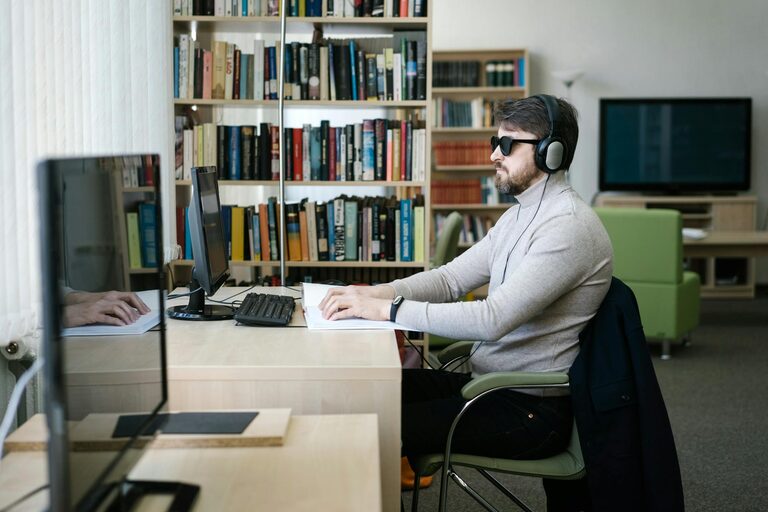
Spending hours in front of screens has become a common part of daily life, whether for work, study, or leisure. While digital devices make life easier and more connected, they can also lead to eye discomfort and fatigue. Protecting your eyes during screen time is essential to maintain good vision and reduce the risk of long-term problems.
In this blog post, we’ll explore useful tips and habits to help you care for your eyes and enjoy your devices without discomfort.
Understanding Digital Eye Strain
Digital eye strain, sometimes called computer vision syndrome, results from prolonged use of devices like computers, smartphones, and tablets. Symptoms include:
– Dry, irritated eyes
– Blurred or double vision
– Headaches
– Neck and shoulder pain
– Difficulty focusing
These symptoms occur because blinking slows down during screen use, and staring at close objects for too long tires the eye muscles.
Tips to Protect Your Eyes During Screen Time
1. Follow the 20-20-20 Rule
One of the simplest and most effective ways to reduce eye strain is the 20-20-20 rule:
– Every 20 minutes, take a 20-second break to look at something 20 feet away.
This exercise relaxes your eye muscles and helps prevent fatigue.
2. Adjust Your Screen Settings
Optimizing your device’s display can significantly improve your comfort:
– Brightness: Set the screen brightness to match your surrounding environment. Avoid screens that are too bright or too dim.
– Text size and contrast: Increase text size and adjust contrast for easy reading without squinting.
– Color temperature: Use “night mode” or blue light filters, especially during the evening, to reduce blue light exposure.
3. Position Your Screen Properly
Proper ergonomic setup can help reduce strain on your eyes and body:
– Place your screen about an arm’s length (20-30 inches) away.
– The top of the screen should be at or just below eye level to avoid neck strain.
– Position your screen to minimize glare from windows or overhead lighting.
4. Blink More Often
Blinking helps keep the eyes moist and prevents dryness. When focused on screens, blinking rate naturally decreases. Make a conscious effort to blink gently and regularly.
5. Use Artificial Tears if Needed
If your eyes feel dry, over-the-counter artificial tear drops can help maintain moisture. Choose preservative-free options and use them as recommended.
6. Maintain Proper Lighting
Good lighting reduces glare and eye strain:
– Use soft, indirect lighting rather than harsh fluorescent lights.
– Avoid bright lights directly behind or in front of your screen.
7. Take Regular Breaks and Move
Besides following the 20-20-20 rule, take longer breaks every hour to stand, stretch, and rest your eyes. Physical movement promotes blood circulation and reduces muscle tension.
8. Have Your Eyes Examined Regularly
Regular eye exams can detect vision problems and help you get the right prescription glasses or contact lenses if necessary. Inform your eye care professional about your screen usage to get personalized advice.
9. Consider Computer Glasses
Specialized computer glasses can reduce glare and improve focus for screen use. These glasses often have filters to block blue light and are optimized for intermediate distances.
10. Stay Hydrated and Maintain a Healthy Diet
Drinking plenty of water and eating foods rich in vitamins A, C, and E, as well as omega-3 fatty acids, supports eye health.
Creating a Screen-Friendly Workspace
Your workspace plays a big role in eye comfort during screen time. Here are some suggestions to create an eye-friendly environment:
– Use an adjustable chair and desk to maintain good posture.
– Position screens to reduce glare and reflections.
– Use anti-glare screen protectors if needed.
– Keep your workspace organized to avoid unnecessary head movements.
Managing Screen Time for Children
Children’s eyes are sensitive and still developing, making it important to monitor their screen time:
– Limit screen use according to age guidelines.
– Encourage regular breaks and outdoor play.
– Ensure screens are set up ergonomically for kids.
– Educate children about blinking and eye health habits.
Final Thoughts
Protecting your eyes during screen time doesn’t require complicated steps. Simple habits like taking breaks, adjusting screen settings, and maintaining good lighting can make a big difference. Combining these tips with regular eye checkups helps keep your vision clear and comfortable, no matter how much time you spend with digital devices.
Remember, your eyes are an important part of your overall health. Treat them with care and enjoy your screen time safely!